See what’s left.
Set monthly budgets for everyday costs and annual budgets for bigger plans. Budgets use your household currency. Choose whether unused amounts carry over.
 FlowCap
Manual tracking. More control.
Without linking your bank accounts. You choose what you record. Track spending together and see what’s left on iPhone and iPad.

One subscription covers up to six household members. One-month trial for eligible new subscribers. Local prices in the app.
Built for iPhone and iPad · iOS 18 or later
Take a closer look
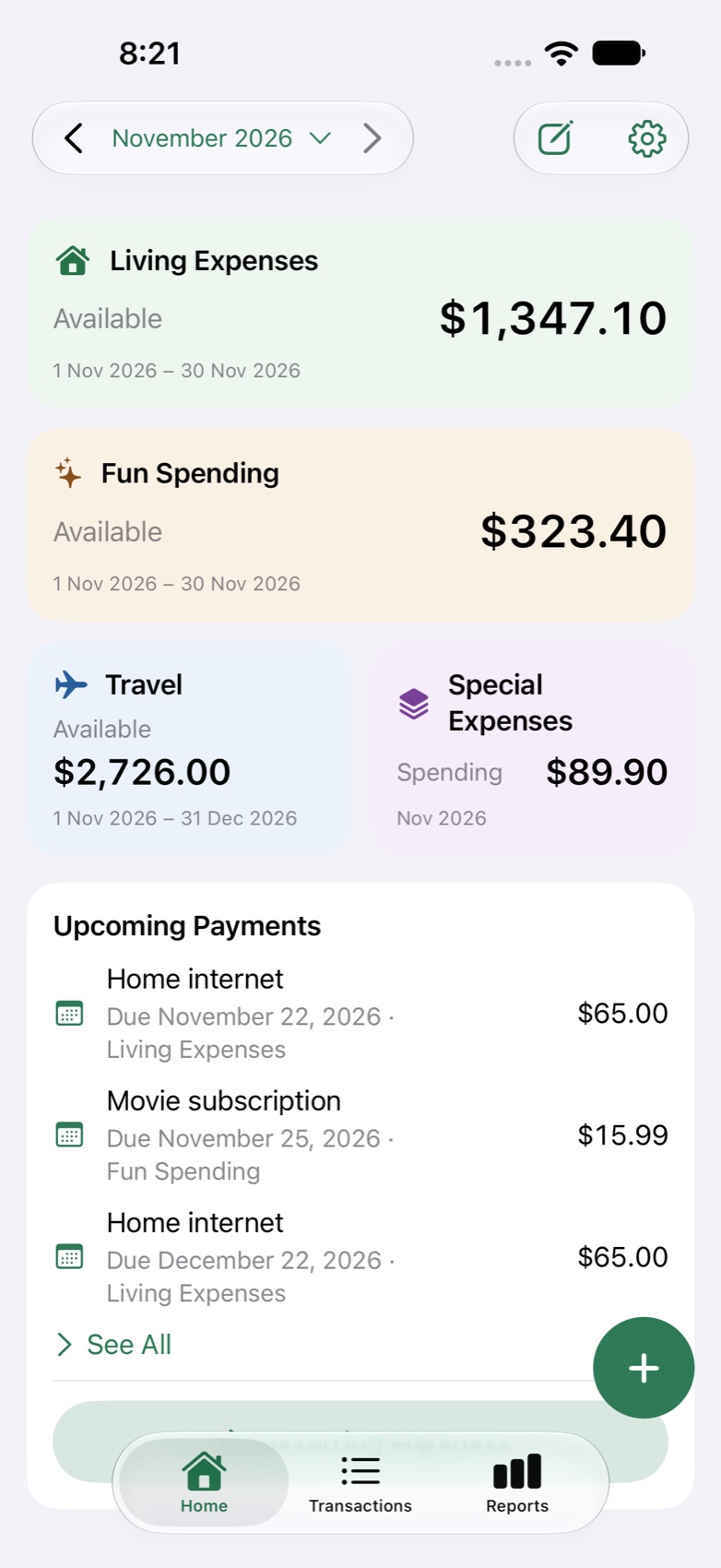 A clearer picture of what’s available.
Everyday spending. Bigger plans.
Room for both.
From groceries to your next trip, give each part of life its own place in your budget.
Made for real life
Set monthly budgets for everyday costs and annual budgets for bigger plans. Budgets use your household currency. Choose whether unused amounts carry over.
Invite your partner or household members by email. Everyone uses their own Apple or Google sign-in to access the shared budget.
Choose your groups, categories, icons and colors. Arrange Home around the budgets and information you use most.
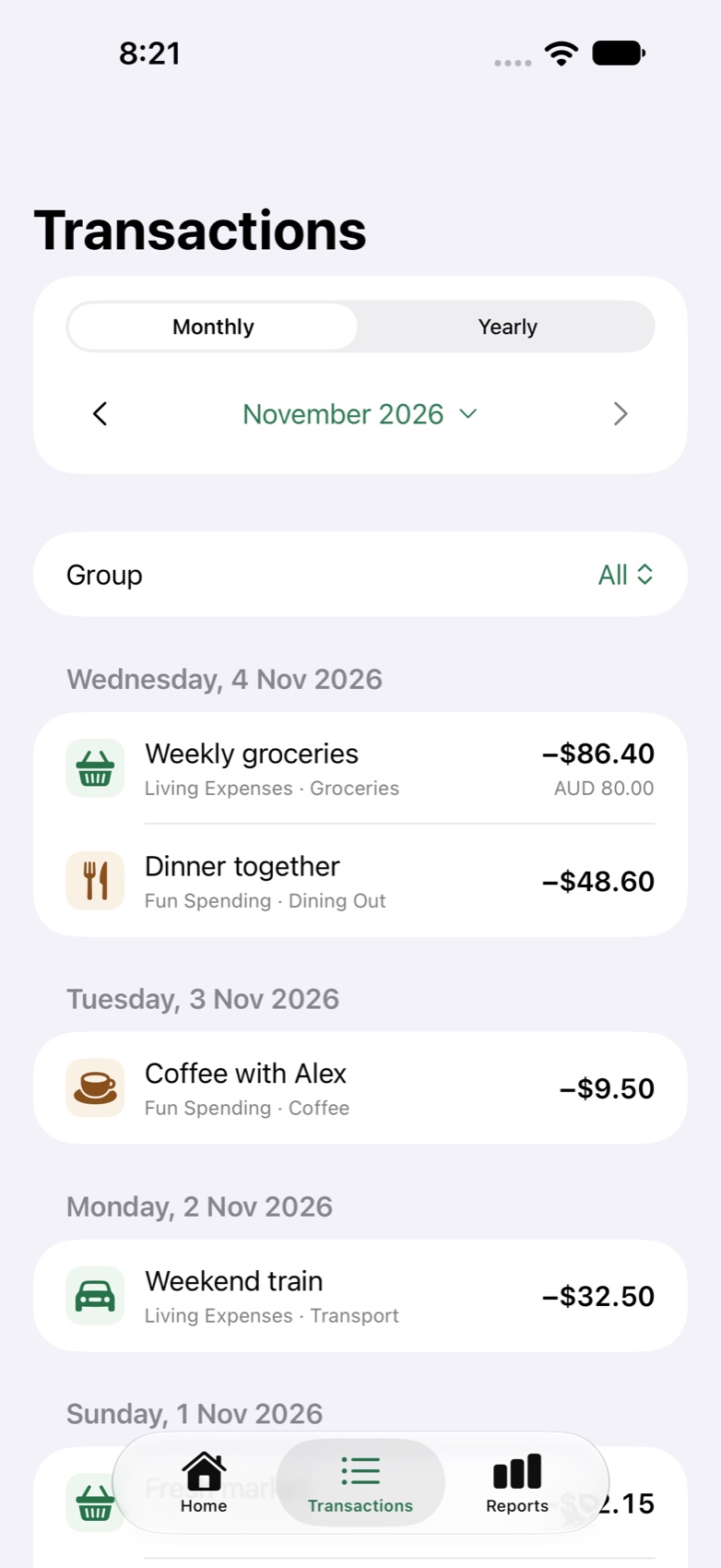
The little things add up
Enter purchases, income and refunds yourself, choosing what you record and share with your household. Add notes to remember what each transaction was for, and browse your history by month, year, group or category. Foreign transactions keep their original amounts alongside the recorded household charge.
No bank connection required. Once your household is set up online, you can add new transactions offline and sync when you reconnect.
Actual app screens · Example household data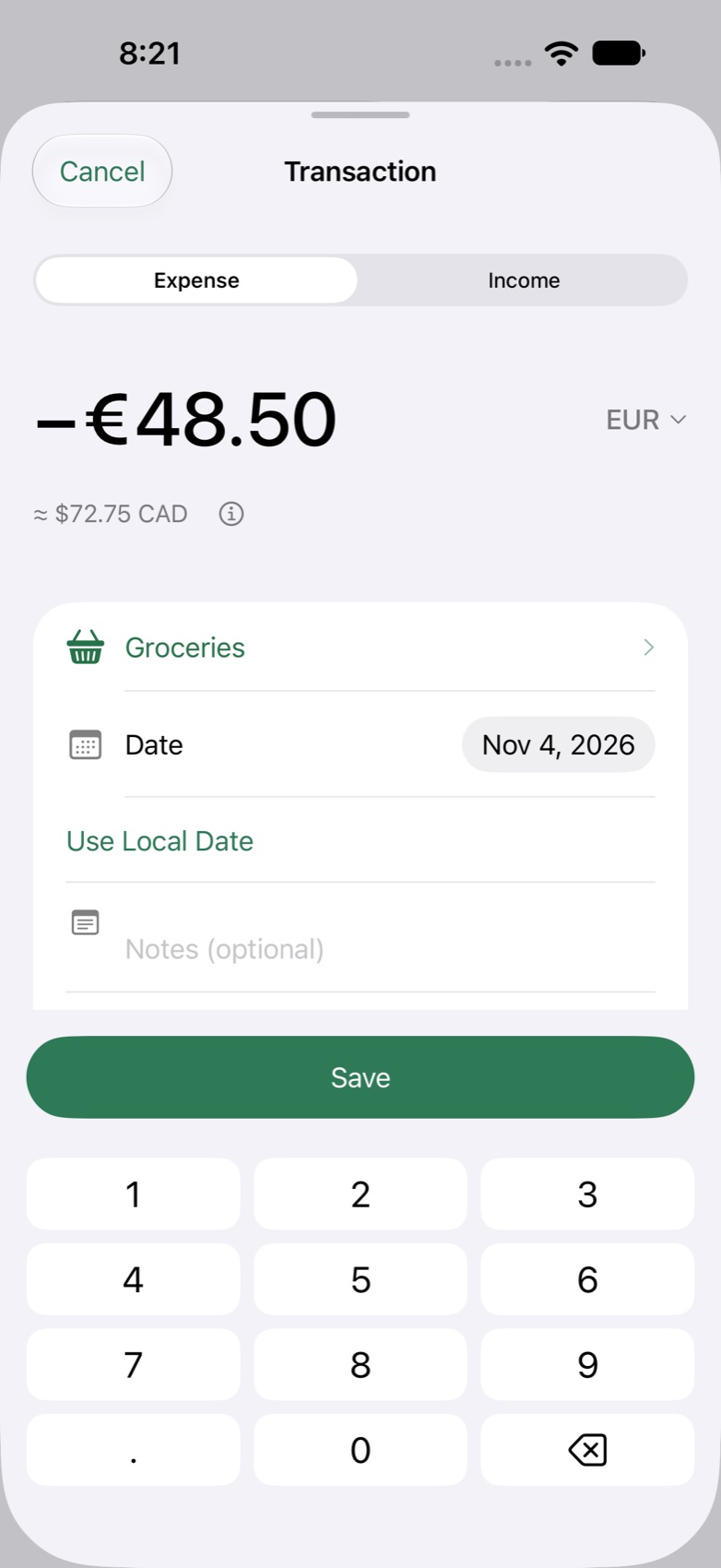
At home and away
Choose the purchase currency and enter the original amount. See a daily reference-rate conversion estimate in your household currency, then keep both amounts in your transaction history.
Reference rates can differ from your bank’s rate and fees. Adjust the recorded household charge to match your statement without losing the original foreign amount.
CAD example household · Synthetic conversion rate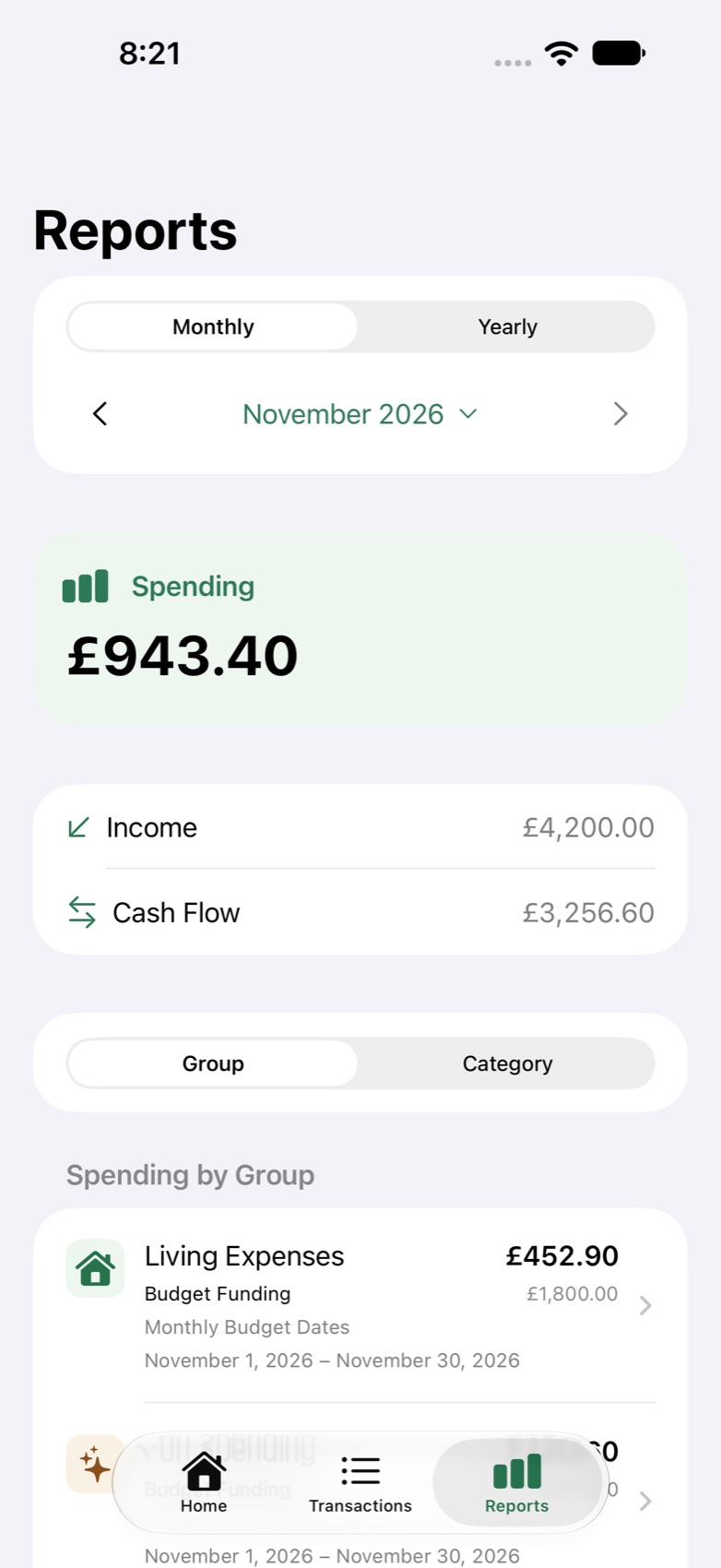
Step back and see
Explore monthly and yearly reports to see where your money goes. Break spending down by group or category and compare it with your budgets, all in your household currency.
Plan ahead with recurring expense schedules and see upcoming payments on Home.
Better together
The same features on either plan. One subscription covers up to six household members, including the owner.
Monthly
Billed monthly for your household.
Annual Billed yearly
Billed annually for your household.
See your local subscription prices in the app before purchase.
Included with either plan
Start with one month free.
Available to eligible new subscribers on either plan.
Get FlowCap on the App StoreA paid household subscription is required. After an eligible trial, your selected plan renews automatically unless canceled at least 24 hours before the trial or current billing period ends. Manage or cancel in your Apple Account settings. Your App Store country determines subscription pricing independently of your household currency. Confirm the price and renewal terms in the app before purchase.
For iPhone and iPad · English · Choose your household currency
Start with a shared plan
A few useful details
No. Manual tracking lets you choose what you record. FlowCap does not connect to your bank, request bank-account access or ask for banking credentials.
Your recorded transactions and household settings are stored in FlowCap’s cloud services and shared with your household members so your devices stay in sync. Read our Privacy Policy for how account and household data is handled.
Choose a supported currency when creating your household. The default follows your device’s regional settings, without location access. You can change it before creation; it is permanent afterward. Existing households keep their currency. Budgets, recurring expenses and reports use household currency.
Record the original amount and currency and see a daily reference-rate conversion estimate. Reference rates may differ from your bank’s exchange rate or fees. After saving, adjust the recorded household charge to match your statement. The original foreign amount stays visible.
Yes. A household can be just you. If you want to plan together, invite others to join, up to six members including the owner.
No. The owner’s subscription covers up to six household members, including the owner. Invited members use their own Apple or Google sign-in and do not need a separate subscription.
After signing in and setting up your household online, you can capture new transactions offline. They synchronize when you reconnect. Foreign entries without an eligible rate wait for conversion and stay outside totals; cached estimates are labeled provisional. Changes to existing transactions and shared settings need an online connection, including editing or deleting an existing transaction.
Manage or cancel your plan in your Apple Account’s subscription settings. Deleting your FlowCap account does not cancel your Apple subscription. If coverage expires, financial access pauses; your household records are kept so you can resume after renewal.
We’re here to help
For app support or a privacy request, email us.
support@myflowcap.comFor app issues, include the version from Settings → Help & About and describe what happened. Please do not send passwords, sign-in codes or private financial records.